
Can RFID inventory management work in a hospital setting?
Yes, RFID inventory management can work very well in a hospital setting. Hospitals deal with large volumes of supplies, equipment, and medications that need to be tracked accurately and quickly. RFID makes that tracking automatic, reducing the manual work that takes up so much of clinical staff time. Below, we answer the most common questions about how this works in practice.
How does RFID inventory management work in a hospital?
In a hospital, RFID inventory management works by attaching small electronic tags to supplies, equipment, or medication packs. When tagged items pass through or are placed near a reader, the system records what is there, how many, and where. Staff no longer need to count items by hand or scan them one by one. The system updates automatically and in real time.
Think of it like a smart cabinet that knows exactly what is inside it without anyone opening the door. When a nurse removes a dressing pack or a surgical kit, the cabinet notes the change immediately. When stock drops below a set level, a reorder alert goes out. No clipboards, no guesswork.
This matters in a hospital because supplies are consumed quickly and unpredictably. A ward can go through dozens of items in a single shift. Manual counting cannot keep up with that pace. Automatic tracking means the right supplies are always available when they are needed, which is ultimately about patient safety as much as efficiency.
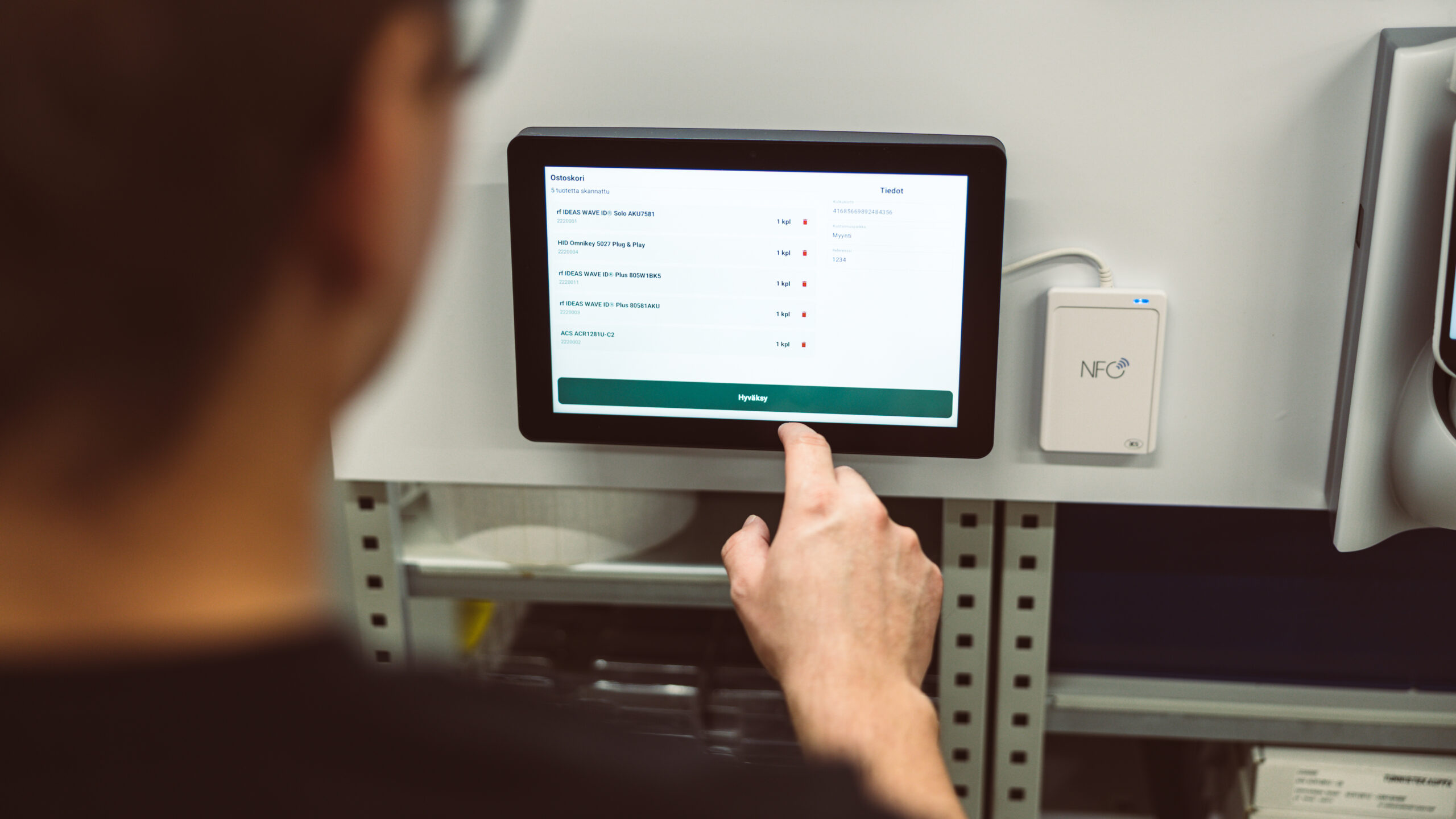
We built our Smart Cabinet solution with exactly this kind of environment in mind. It can identify up to a thousand items in ten seconds, giving staff and supply managers a live picture of stock levels at any moment.
What types of hospital inventory benefit most from RFID tracking?
The supplies that benefit most from RFID tracking in hospitals are high-turnover consumables, expensive reusable equipment, and any item where running out creates a patient safety risk. This includes surgical instruments, single-use procedure kits, wound care products, personal protective equipment, and portable medical devices such as infusion pumps or blood pressure monitors.
Consumables are used and replaced constantly, which makes manual tracking exhausting and error-prone. RFID removes that burden by recording every removal and restocking automatically. Staff spend less time counting and more time with patients.
Expensive reusable equipment is another strong candidate. Items like surgical trays, scopes, and portable monitors are valuable, easy to misplace, and costly to replace. Knowing where each one is at any given moment prevents unnecessary purchases and reduces the time staff spend searching for equipment before a procedure.
High-value or regulated items, such as implants or controlled medical devices, also benefit significantly. RFID tracking creates a clear record of where each item came from, where it went, and when it was used. That kind of traceability is increasingly important for compliance and quality assurance in healthcare settings.
What challenges does RFID face in a clinical environment?
RFID does face some real challenges in hospitals. Metal surfaces and liquids can interfere with the signal, which matters in environments full of metal equipment and IV fluids. Infection control requirements mean that any hardware installed in clinical areas must be easy to clean and must not create surfaces where bacteria can hide. These are genuine considerations, not dealbreakers, but they do require careful planning.
Tag placement is one of the most practical challenges. Attaching tags to sterile packaging, surgical instruments, or items that go through autoclaves requires tags that can survive those conditions. Not all tags are built for that, so choosing the right type for each category of item is important.
Staff adoption is another factor. If the system adds steps or complexity to an already busy workflow, people will work around it. The best implementations are ones where the technology quietly does its job in the background. Staff interact with supplies the way they always have, and the system records everything without requiring extra effort from them.
Finally, hospitals are complex organisations with many existing IT systems. Any new inventory solution needs to connect smoothly with what is already in place. We address this directly in the integration section below.
How does RFID compare to barcodes for hospital inventory?
The key difference between RFID and barcodes for hospital inventory is that RFID does not require line-of-sight or individual scanning. A barcode must be seen by a scanner, one item at a time. RFID reads multiple items simultaneously, even through packaging or inside a closed cabinet. In a busy ward, that difference in speed and effort is significant.
Here is a straightforward comparison of the two approaches in a typical ward stock scenario:
- Barcode stock check: A staff member opens each storage area, removes items, scans each barcode individually, records the count, and updates the system manually. This takes time and is prone to human error, especially when wards are busy.
- RFID cabinet-based stock check: The cabinet reads all tagged items inside it continuously. No staff action is needed. The system updates in real time whenever an item is added or removed. Reorder alerts are automatic.
Barcodes are cheaper to implement at the start and work well for lower-volume environments. They are a reliable technology and still widely used. But in a hospital setting where hundreds of items move every day and staff time is limited, the automation that RFID provides becomes genuinely valuable. The time saved on counting and reconciliation can be redirected to patient care.
For a broader look at how these approaches compare in demanding environments, our article on reducing inventory shrinkage covers the trade-offs in detail.
How does RFID inventory data integrate with hospital systems?
RFID inventory data connects to hospital systems through standard software connections that allow two systems to share information automatically. In practice, this means that when an item is removed from a tracked cabinet, that information can flow directly into procurement, electronic health records, or materials management systems without anyone entering it manually.
Around 80% of the systems we have delivered are already connected to our customers’ existing software in this way. The goal is always the same: the inventory data should go where it is needed without creating extra work for anyone.
For hospitals, this kind of connection is particularly valuable for procurement. When stock drops below a set threshold, the system can trigger a purchase order automatically, or at least flag it for approval. That removes the risk of running out of critical supplies because a manual reorder was missed or delayed.
It also supports reporting and audit trails. Hospital supply managers can see historical usage data, identify which wards consume which items fastest, and plan purchasing more accurately. That is useful both for cost control and for responding to unexpected demand, such as a sudden increase in a particular procedure.
What does a hospital RFID inventory rollout typically involve?
A hospital RFID inventory rollout typically involves four main stages: assessing which supplies and locations to track first, tagging the relevant items, installing the reading hardware in the right places, and connecting the system to existing hospital software. The process does not have to happen all at once. Most successful rollouts start with one ward or one category of supplies and expand from there.
The assessment stage is the most important. It means identifying where the biggest problems are. Which supplies run out most often? Where do staff spend the most time on manual counts? Which items are most frequently lost or unaccounted for? Starting where the pain is greatest produces the fastest visible results and helps build confidence in the system.
Tagging items requires some upfront work, but it is a one-time effort for reusable equipment and an ongoing process built into receiving for consumables. Hardware installation, such as placing smart cabinets or readers in specific locations, needs to account for the clinical environment, including infection control requirements and workflow patterns.
Training is lighter than many people expect. Because the system works in the background, staff mostly just need to know that it is there and what to do if they have questions. The day-to-day experience for a nurse or technician should not feel significantly different from before. For capital equipment and tools that move between departments, our article on serial number tracking explains how individual item traceability works alongside inventory management.
How do we help healthcare facilities manage supplies?
We help healthcare facilities move from manual, error-prone stock management to a system that tracks supplies automatically and keeps staff informed without adding to their workload. Our Smart Cabinet is the centrepiece of that approach. It reads all tagged items inside it in seconds, updates stock levels in real time, and sends alerts when supplies need to be replenished.
The cabinet is designed to work alongside existing processes, not replace them entirely. Staff continue to access supplies the way they always have. The system simply records what happens and makes that information available to whoever needs it, whether that is a ward sister checking stock levels, a procurement team managing orders, or a finance department tracking usage costs.
We also offer a mobile application, Simple Pocket, that allows staff to check stock levels, receive deliveries, and manage inventory from a phone or tablet. This is particularly useful for facilities where supplies are stored in multiple locations or where staff move between areas throughout their shift.
Every implementation we deliver is tailored to the specific environment. We consult with our customers to understand their workflows, their existing systems, and where the biggest inefficiencies are. The goal is always a solution that genuinely fits, not a generic product applied to a complex setting.
If you are exploring how automated inventory management could work in your facility, we are happy to talk through the options. Get in touch with our team to start the conversation, or take a closer look at our Smart Cabinet solution to see what it can do.