
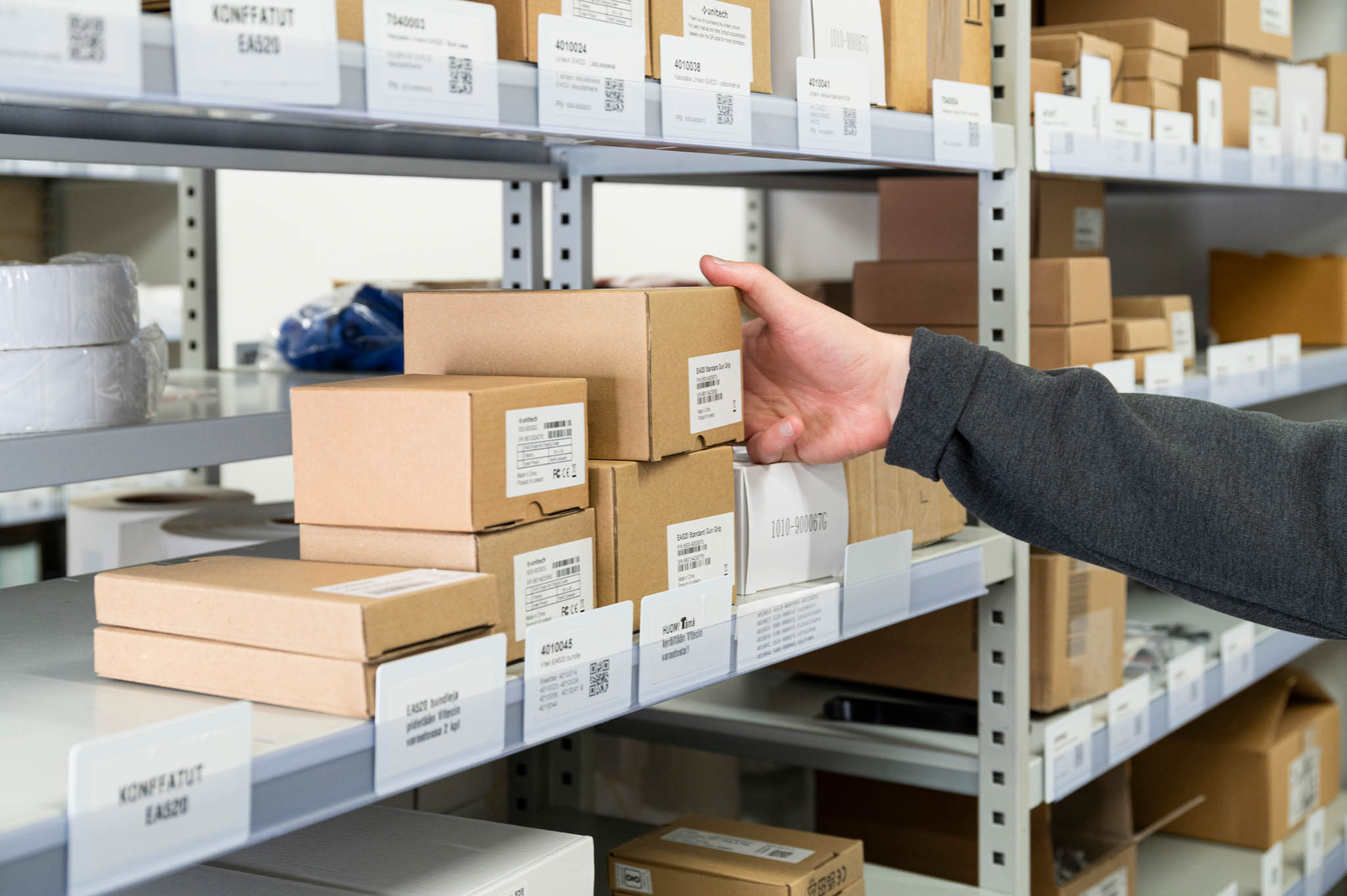
How do automated restocking systems work in a smart warehouse?
Automated restocking systems in a smart warehouse work by tracking every product in real time and triggering replenishment orders automatically when stock falls below a set level. Sensors and identification technology monitor what is taken from shelves, who took it, and when. The system then calculates what needs to be reordered and sends the request without anyone having to check shelves manually or count inventory by hand.
Here at Aksulit Oy, we have been building smart warehouse and inventory management solutions since 2003. If you want to see how this works in practice, explore our Simple Storage solution and discover what automated restocking could look like for your business.
Manual stock checks are quietly draining your team’s time and energy
When your team has to walk the warehouse floor to count stock, that time adds up fast. Worse, manual counts are only accurate at the moment they happen. By the time someone acts on that information, the picture has already changed. The real cost is not just the hours spent counting. It is the stockouts that happen between counts, the emergency orders placed at short notice, and the time your best people spend on tasks that should not need human attention at all. The fix is straightforward: stop relying on periodic manual checks and move to a system that tracks stock continuously, in the background, without anyone having to do anything.
Reacting to empty shelves is already too late
Most warehouse problems do not start with an empty shelf. They start weeks earlier, when no one noticed that a particular product was moving faster than expected. By the time a shortage becomes visible, the disruption has already begun. Automated restocking shifts the whole approach from reacting to planning. The system watches usage patterns over time and flags replenishment needs before they become urgent. That shift from reactive to proactive is where the real value of warehouse automation lies, and it is what separates businesses that run smoothly from those that are always firefighting.
What is an automated restocking system in a smart warehouse?
An automated restocking system is a setup that monitors your inventory continuously and triggers replenishment orders on its own when a product’s quantity drops below a defined threshold. It removes the need for manual stock checks by keeping a live record of every item in the warehouse and acting on that data automatically.
In a smart warehouse, this works because every product is identified and tracked from the moment it enters the storage area. When someone takes an item, the system registers it instantly. When the remaining quantity reaches a preset minimum, the system either alerts the right person or places a replenishment request directly, depending on how it is configured.
The result is a warehouse that manages its own stock levels day to day. Staff spend less time counting and chasing supplies, and more time on work that actually needs human judgment. Replenishment becomes a background process rather than a recurring task someone has to remember.
How does a smart warehouse detect when stock needs replenishing?
A smart warehouse detects replenishment needs by tracking each product in real time. Every time an item is removed from storage, the system records it immediately. When the recorded quantity for a product drops to a level you have set in advance, the system flags it for restocking automatically, without anyone needing to check.
This works because each product carries an identification tag, and a scanning point at the warehouse exit reads those tags as items pass through. The system knows exactly what left the warehouse, how much remains, and how quickly different products are being used.
Our Simple Storage solution, for example, can inventory up to a thousand products in ten seconds. Every removal is logged against the person who took the items, using a personal identification step at entry. This means the system always has an accurate, up-to-date picture of what is in stock, who has what, and what is running low.
Over time, the system also builds a picture of usage patterns. That historical data helps you understand which products move quickly, which sit on shelves for weeks, and when demand tends to spike. That kind of visibility makes planning much easier.
What types of products are best suited for automated restocking?
Automated restocking works best for products that are used regularly, need to be available without interruption, and are difficult or costly to manage manually. This includes maintenance supplies, consumables, tools, spare parts, and any items where running out causes a real problem for operations.
Industries where this fits particularly well include:
- Industrial maintenance: Tools and consumables that need to be available around the clock, without someone managing access manually.
- Equipment rental: Items that move in and out frequently and need accurate tracking to avoid losses or billing errors.
- Technical wholesale: Vendor-managed inventory placed at a customer’s site, where replenishment needs to happen automatically based on actual usage.
- Production environments: Supplies tied directly to production schedules, where a shortage can halt an entire line.
The common thread is that these are products where manual management creates real risk. Either the items are used too frequently to track by hand, or the consequences of running out are serious enough that waiting for a manual check is not acceptable.
Products that are ordered rarely, have very long shelf lives, or are managed through a separate procurement process may not need automated restocking. But for anything that moves regularly and must always be available, automation makes a clear difference.
How does automated restocking integrate with existing warehouse systems?
Automated restocking integrates with existing systems through a data connection that allows the inventory management software to share information with your other business tools, such as purchasing, accounting, or ERP systems. When stock levels change, that information flows automatically to wherever it is needed, without manual data entry.
This matters because a restocking system that works in isolation creates its own problems. If your inventory data lives in one place and your purchasing or finance data lives somewhere else, someone still has to reconcile the two manually. Integration removes that step.
Our Simple Storage solution connects to existing business systems through a standard interface. When a product’s quantity drops below its set threshold, the system can trigger a replenishment request that feeds directly into your existing purchasing process. Stock levels, product movements, and user activity are all visible in one place, and that data can flow into whichever other systems your business relies on.
For businesses that are not yet ready for full integration, a standalone setup is also a practical starting point. You get the real-time visibility and automatic alerts straight away, and you can connect to other systems when the time is right.
What are the main benefits of automating warehouse restocking?
The main benefits of automating warehouse restocking are fewer stockouts, less time spent on manual tasks, better accuracy, and a clearer picture of what is actually happening in your warehouse. Together, these reduce both the direct costs of running a warehouse and the indirect costs of disruption caused by missing stock.
Here is a more specific breakdown of what changes when restocking becomes automatic:
- Stock is always current: Every removal is recorded the moment it happens, so your inventory figures reflect reality at all times.
- Replenishment happens on time: Orders go out before shelves run empty, not after someone notices a problem.
- Less waste: Because you know exactly what is being used and when, you can avoid over-ordering and reduce the amount of stock that sits unused.
- Accountability is built in: The system records who took what and when, which reduces unexplained losses and makes it easier to allocate costs accurately.
- Your team focuses on other work: Time that used to go into counting, checking, and chasing supplies is freed up for tasks that need human attention.
The comparison below shows clearly what changes when you move from a manual approach to an automated one:
| Area | Manual restocking | Automated restocking |
|---|---|---|
| Stock visibility | Snapshot at the time of the last count | Live, continuous view of all stock |
| Replenishment trigger | Someone notices and raises a request | System detects the threshold and acts automatically |
| Risk of stockout | High, especially between manual checks | Low, because the system tracks usage continuously |
| Time spent on stock management | Regular manual effort from staff | Minimal, system handles routine monitoring |
| Accountability | Difficult to trace who took what | Every movement recorded against a named user |
| Data for planning | Limited, based on periodic snapshots | Rich historical data for forecasting and decisions |
How do you get started with an automated restocking system?
Getting started with an automated restocking system involves four practical steps: understanding your current stock situation, identifying which products and locations to automate first, setting up the system with your products and threshold levels, and connecting it to your existing tools where needed. Most businesses can be up and running without a long implementation project.
- Map your current situation. Look at which products cause the most problems. Where do you run out most often? Which items take the most time to manage manually? Start there.
- Choose the right setup for your environment. Some warehouses need a fixed scanning point at the exit. Others are better served by a mobile app that staff use in the field. The right choice depends on how your warehouse is structured and how your team works.
- Set your threshold levels. For each product, decide the minimum quantity that should trigger a replenishment alert. This is a simple decision for most items, and you can adjust it over time as you learn more about your usage patterns.
- Connect to your other systems. If you use purchasing software, an ERP, or accounting tools, connect the inventory system so that data flows automatically. This step removes the last remaining manual handoffs.
The good news is that you do not need to automate everything at once. Starting with your most critical or most problematic products gives you immediate results and builds confidence in the system before you expand it further.
How does Aksulit Oy help companies automate restocking?
We build smart inventory and restocking solutions for businesses across a range of industries. Our focus is on making automated stock management practical and straightforward, not on adding complexity. Our products are part of the Simple family, designed to work together and connect easily with the systems you already use.
Our Simple Storage solution is built for warehouses where stock availability matters and manual management has become a burden. Here is what it delivers:
- Real-time stock visibility, updated the moment any item is taken
- Automatic replenishment alerts when quantities fall below the levels you set
- User-level tracking, so you always know who took what and when
- Easy reporting through a management portal, accessible from any computer
- Connection to your existing business systems, so data moves automatically without manual entry
Our Simple Pocket app extends the same capabilities to mobile, giving field teams and warehouse staff a way to receive, pick, and inventory products directly from a phone or handheld device. It works offline too, so connectivity is never a barrier.
- Quick product scanning using barcodes, QR codes, or NFC
- Real-time stock updates from wherever your team is working
- Automatic shelf-replenishment reports
- Full item and serial number management
- Short setup time, no lengthy training required
We use RFID and NFC identification technology in our solutions because they allow fast, accurate scanning without manual effort. A scanning module at the warehouse entrance or exit reads all tagged products as they pass through, which is how our system can inventory a thousand products in ten seconds. These technologies are the engine behind the automation, but from your team’s perspective, the experience is simply: take what you need, and the system handles the rest.
We work with businesses in industrial maintenance, equipment rental, technical wholesale, and production environments, among others. Our team is based in Laukaa, Finland, and we have been building and delivering identification and inventory systems since 2003.
If you are ready to stop managing stock by hand, take a closer look at Simple Storage and see how it could work in your warehouse. Or if you would prefer to talk through your specific situation first, get in touch with our team and we will help you find the right starting point.